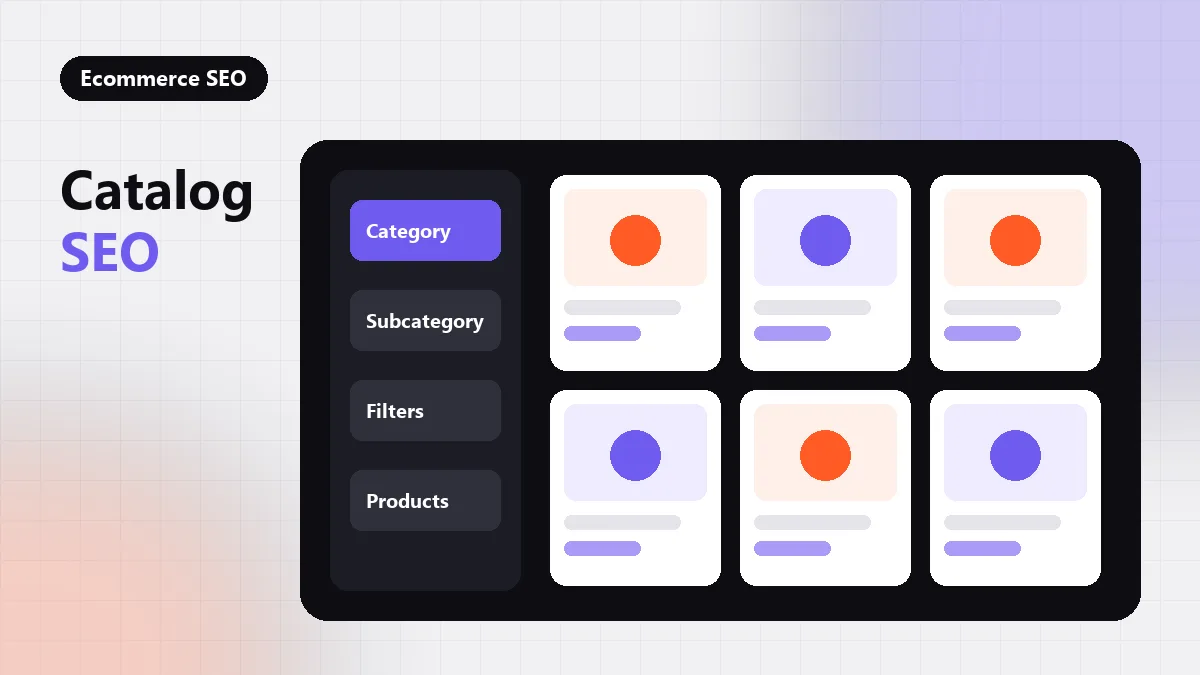
Catalog SEO is the work of structuring a large product catalog so search engines can crawl it efficiently, understand how products relate, and rank the right page for each query. The essentials are a clear category hierarchy, one indexable URL per product and per useful category, controlled faceted navigation, and templates that generate unique titles, copy and markup at scale.
On a site with thousands of products, almost every SEO decision is a template decision. That is why the ecommerce work at seothumb.com starts with the catalog structure itself, before anyone rewrites a single product description.
Key takeaways
- Design the category hierarchy around how buyers search, and keep important products within a few clicks of the homepage.
- Give each product one canonical URL, and handle variants deliberately rather than by default.
- Decide which facet combinations deserve indexing; block or canonicalize the rest.
- Fix titles, copy and structured data at the template level so every product benefits at once.
Why Large Catalogs Need Their Own Approach
A small store can get by with good pages and a sitemap. A large catalog cannot, because its problems multiply with every product added. Filters create new URL combinations, sorting options duplicate listings, out-of-stock items linger, and seasonal ranges come and go. Each of these generates URLs that compete for crawl attention with the pages that actually earn revenue.
Google’s SEO best practices for ecommerce sites cover many of these issues, including how to structure URLs and how to help Google discover products. The underlying idea is simple: make the important pages easy to find and the unimportant variations easy to ignore.
Design a Category Hierarchy Buyers Recognize
The category tree is the backbone of catalog SEO. It decides which pages exist to rank for broad and mid-length queries, and it decides how internal link equity flows down to products.
Match Categories to Search Demand
Build categories around the terms buyers actually use, not around internal merchandising codes. If people search for “women’s trail running shoes”, that phrase deserves a real category page with its own copy and products, rather than existing only as a filtered view of a broader category.
Keep Depth Shallow
Important products should be reachable within a few clicks from the homepage. Deep hierarchies bury products under layers of near-empty subcategories, which makes them slower to be discovered and weaker in internal linking. Where a subcategory would hold only a handful of items, a filter on the parent category is often the better choice.
Use Breadcrumbs Consistently
Breadcrumb trails show users and crawlers where each page sits in the hierarchy, and they add internal links back up the tree. Mark them up with BreadcrumbList structured data so the path can appear in search results; our guide to schema markup for SEO covers the types that matter most for catalogs.
One Product, One Canonical URL
Products frequently appear under several paths: in more than one category, in sale sections, and in search results. If each path produces its own URL, the same product is indexed several times and its signals are split.
The cleaner pattern is a single product URL that does not include the category path, with every listing linking to that one address. Where duplicates cannot be avoided, a canonical tag should point to the preferred URL, and internal links, sitemaps and canonicals should all agree.
Variants need an explicit decision. Colors and sizes that searchers look for by name may justify their own indexable pages; variants that differ only in a detail nobody searches for are usually better handled as options on one product page.
Control Faceted Navigation
Filters are essential for shoppers and dangerous for crawl efficiency. Every combination of brand, size, color, price and rating can generate a new URL, and on a large catalog that can mean far more filter URLs than real products.
The fix is a deliberate policy for each facet type. The table below shows a common starting point, which should be adjusted to real search demand.
| URL type | Example | Usual decision |
|---|---|---|
| Core category | /running-shoes/ | Index, with unique copy |
| High-demand facet | /running-shoes/trail/ | Index as its own landing page |
| Multi-filter combination | ?brand=x&size=9&color=blue | Canonicalize or keep out of the index |
| Sort order | ?sort=price-asc | Canonicalize to the unsorted page |
| Internal search results | /search?q=shoes | Keep out of the index |
| Product page | /product/model-name/ | Index, one canonical URL |
The full method for deciding which facets to open, and how to stop the rest from being crawled, is covered in our guide to faceted navigation SEO.
Templates Do the Heavy Lifting
On a catalog site, a fix applied to one product page is a fix applied to one URL. A fix applied to the product template is a fix applied to every product at once. That is why template work usually delivers the largest gains, and why seothumb.com handles on-page SEO at template scale rather than page by page.
The elements worth getting right at template level include:
- Title patterns that combine product name, a key attribute and the brand in a readable order.
- Category copy that explains the range and helps buyers choose, placed where it does not push products below the fold.
- Product descriptions that add information beyond the manufacturer’s standard text, which many other retailers also publish.
- Product structured data with accurate price, availability and identifiers, matching what is visible on the page.
- Image alt text generated from real product attributes rather than left empty.
Handle Stock Changes Without Losing Equity
Products sell out, return and are discontinued. Each case needs a rule so the catalog does not fill with dead ends.
- Temporarily out of stock: keep the page live and indexable, show the status clearly and offer alternatives.
- Permanently discontinued with a clear replacement: redirect to the replacement product.
- Discontinued with no replacement: redirect to the closest category, or return a 404 or 410 if nothing relevant exists.
- Seasonal ranges: keep evergreen category URLs and update the products inside them each season.
Redirect decisions should be logged, because discontinued product pages sometimes hold backlinks from reviews or press. Those links are worth protecting, as our link reclamation guide explains.
Keep the Index Lean
The goal is not to index as many URLs as possible but to index the right ones. Regularly compare the URLs in your sitemap with the pages Search Console reports as indexed, and investigate anything unexpected in either direction. Running this check on a schedule keeps index bloat from building up unnoticed.
Catalog SEO also connects to the rest of the content program. Buying guides and comparison articles give category pages context and internal links, and planning them is covered in our guide to editorial SEO. When the catalog is large enough that these decisions need a structured review, seothumb.com can start with a free 12-page technical SEO audit delivered within five business days. Browse more ecommerce SEO articles or see our technical SEO guides for the crawl side of the work.
Frequently Asked Questions
Should product URLs include the category path?
Usually not. Including the category in the product URL creates duplicates when a product sits in several categories, and it breaks URLs when categories are renamed. A short, stable product URL with breadcrumbs showing the hierarchy gives you clean signals and still communicates where the product belongs in the catalog.
Is it a problem to use manufacturer descriptions on product pages?
It is not a penalty risk, but it gives search engines little reason to prefer your page over other retailers using the same text. Add original information such as sizing notes, use cases, comparisons or answers to common questions, starting with the products and categories that matter most to revenue.
How should a large catalog use XML sitemaps?
Include only canonical, indexable URLs that return a 200 status, and split sitemaps by type, such as categories and products, so coverage problems are easier to spot. Keep them updated automatically as products are added or removed, and compare submitted URLs against indexed URLs in Search Console.
Do pagination pages on category listings need to be indexed?
Paginated pages should stay crawlable so search engines can reach the products listed on them. Give each page a self-referencing canonical rather than pointing every page to page one, and make sure the links between pages are standard anchor links that crawlers can follow without running scripts.