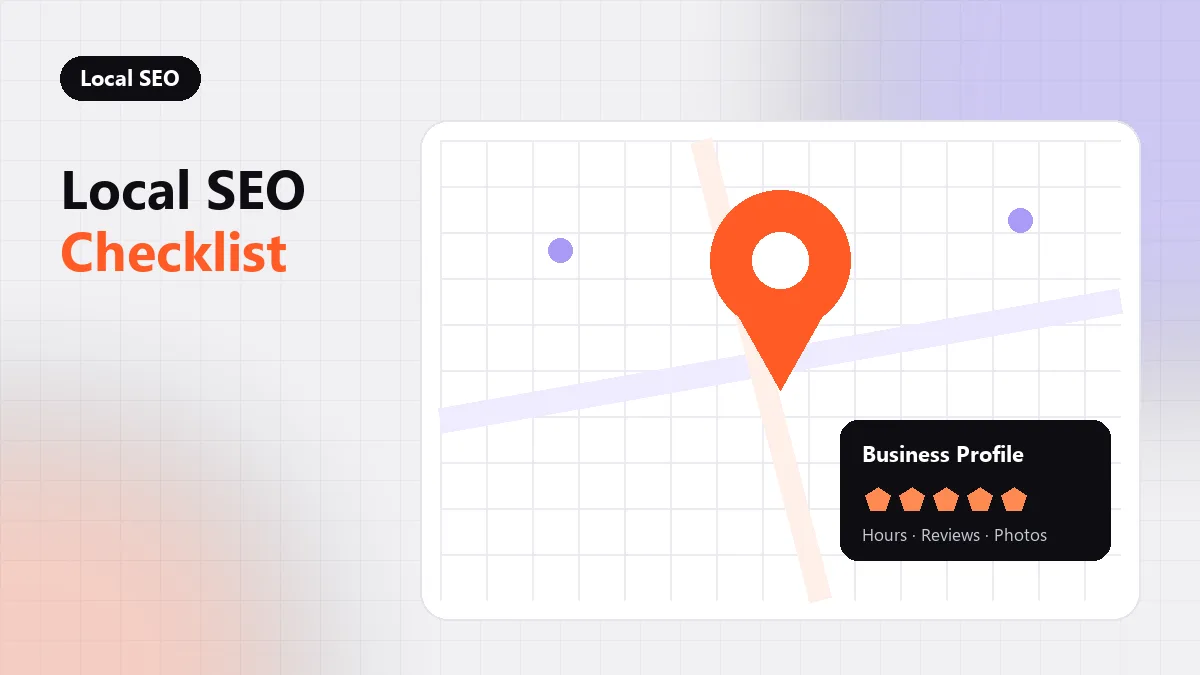
A local SEO checklist for a single-location business covers six areas: a complete and verified Google Business Profile, consistent name, address and phone details, a steady flow of genuine reviews, one strong location page, LocalBusiness structured data, and links from your own community. Get those right and you give Google every signal it uses to show you in the map pack for nearby searches.
This is the checklist seothumb.com works through for businesses with one storefront, office or service base. Companies with many branches face different problems, which our guide to multi-location local SEO covers separately.
Key takeaways
- Your Google Business Profile is the single most important local asset, so complete every field accurately.
- Name, address and phone details must match exactly across your site and major directories.
- Reviews help both rankings and clicks; ask every satisfied customer and reply to every review.
- A dedicated location page with LocalBusiness schema ties your website to your physical business.
How Google Ranks Local Results
Google describes three main factors for local results: relevance, distance and prominence. Its own help page on improving your local ranking explains that complete information, verified locations and reviews all contribute. You cannot change your distance from a searcher, so the checklist focuses on the two factors you can influence.
1. Claim and Complete Your Google Business Profile
Verify the profile, then fill in every section that applies. Incomplete profiles give Google less to match against a search.
- Primary category: choose the most specific category that describes your main service, then add secondary categories only where they are accurate.
- Business name: use your real-world name exactly as it appears on your signage, without added keywords.
- Hours: keep regular and holiday hours current so customers do not arrive to a locked door.
- Services or products: list them with short descriptions in plain language.
- Photos: add real photos of your exterior, interior, team and work, and refresh them over time.
- Website link: point it to your location page or homepage, not a generic landing page.
2. Keep Your NAP Details Consistent
NAP stands for name, address and phone number. Google cross-checks these details across your website, your profile and third-party directories. Small differences, such as “Suite 4” on one listing and “#4” on another, are usually tolerated, but a wrong phone number or an old address creates confusion.
Put your full NAP details in your site footer and on your contact and location pages, as text rather than an image. Then audit the major directories and data aggregators that feed many smaller sites, and correct any outdated listings, starting with the ones that rank for your business name.
3. Build a Steady Flow of Genuine Reviews
Review count, rating and recency all influence how your listing performs, and they strongly affect whether a searcher clicks. The key is a steady process rather than occasional bursts.
- Ask every satisfied customer, ideally soon after the job or purchase.
- Send a direct review link by text or email to remove friction.
- Reply to every review, positive or negative, in a calm and specific way.
- Never offer payment or discounts in exchange for reviews, and never post reviews yourself.
Fake or incentivized reviews break Google’s policies and federal consumer protection rules, and they can lead to removed reviews or a suspended profile.
4. Create One Strong Location Page
Even with a single location, a dedicated page on your website helps Google connect your profile to your site. It also gives searchers who click through a page built for them, rather than a generic homepage.
A good location page includes your full address and phone number, an embedded map, opening hours, directions or parking notes, the services offered at that location, a few real photos and local reviews. Write unique copy about the area you serve. Local SEO work at seothumb.com builds one location page like this for each address. Avoid copying text from your homepage or from other sites.
5. Add LocalBusiness Structured Data
Structured data tells search engines in a machine-readable way exactly who you are, where you are and when you are open. Google’s documentation on LocalBusiness structured data lists the supported properties.
| Property | What to include | Required by Google |
|---|---|---|
| name | Your business name as shown on your signage | Yes |
| address | Full postal address with street, city, state and ZIP | Yes |
| telephone | Main phone number with area code | Recommended |
| openingHoursSpecification | Regular hours for each day | Recommended |
| geo | Latitude and longitude of the location | Recommended |
| url | The URL of your location page | Recommended |
Use the most specific subtype that fits, such as Dentist or Plumber, and keep the markup consistent with your visible page content. Our schema markup guide covers validation and common mistakes.
6. Earn Links From Your Community
Local prominence grows when real organizations in your area mention and link to you. These links are often easier to earn than national ones because the relationships already exist. Broader tactics are covered in our link building articles.
- Chamber of commerce and local business association memberships.
- Sponsorships of local teams, charities and events.
- Suppliers or partners who list the businesses they work with.
- Local news coverage of something genuinely newsworthy, such as an opening, an expansion or a community project.
If an article mentioned you without linking, a polite request often fixes it; our guide to link reclamation explains the process. The team at seothumb.com builds local authority only through outreach of this kind, never through paid links or bulk directory submissions.
7. Track Local Performance
Your Business Profile reports show calls, direction requests and website clicks. Add UTM parameters to your profile’s website link so analytics can separate map pack visits from other organic traffic, and record phone leads where possible. For wider small-company priorities beyond the map pack, read SEO for small business.
More local strategy articles are collected in the local SEO category.
Frequently Asked Questions
Can a service-area business without a storefront rank in the map pack?
Yes. Google lets service-area businesses hide their street address and list the areas they serve instead. You still need a verified profile, accurate categories and reviews. Ranking is usually strongest near the address used for verification, so expect more visibility close to your base than across your whole service area.
Should I add keywords to my Google Business Profile name?
No. Google’s guidelines require your profile name to match your real-world business name. Adding a city or service keyword that is not part of your legal or signage name can lead to a suspension. If a competitor does it, you can suggest an edit or report the listing through Google.
How often should I post updates to my Business Profile?
Regular posts keep your profile looking active and can highlight offers, events or new services. There is no required frequency; a few relevant updates each month is a practical target for most businesses. Focus on useful information for customers rather than posting for its own sake.
Do citations on small directories still matter?
Consistency on the major platforms and data aggregators matters most. Hundreds of low-quality directory listings add little value today. Prioritize accurate listings on well-known platforms, industry directories relevant to your trade, and local sites that customers in your area actually use.